Symmetry 2026.3 Now Available
Wednesday, 28 October 2026
Symmetry™ process simulation software provides a single collaborative environment for process modeling, enabling users to:
This helps ensure greater consistency, accuracy, and collaboration throughout the modeling process.
By combining steady-state and dynamic modeling in a single environment, Symmetry software helps users optimize processes across upstream, midstream, downstream, and new energy sectors while maximizing asset performance.
This release of Symmetry 2026.3 introduces a range of enhancements designed to expand simulation capabilities, improve productivity, and increase accuracy.
Highlights of the release include:
These updates improve model development, data connectivity, simulation accuracy, dynamic system modeling, and overall workflow efficiency.
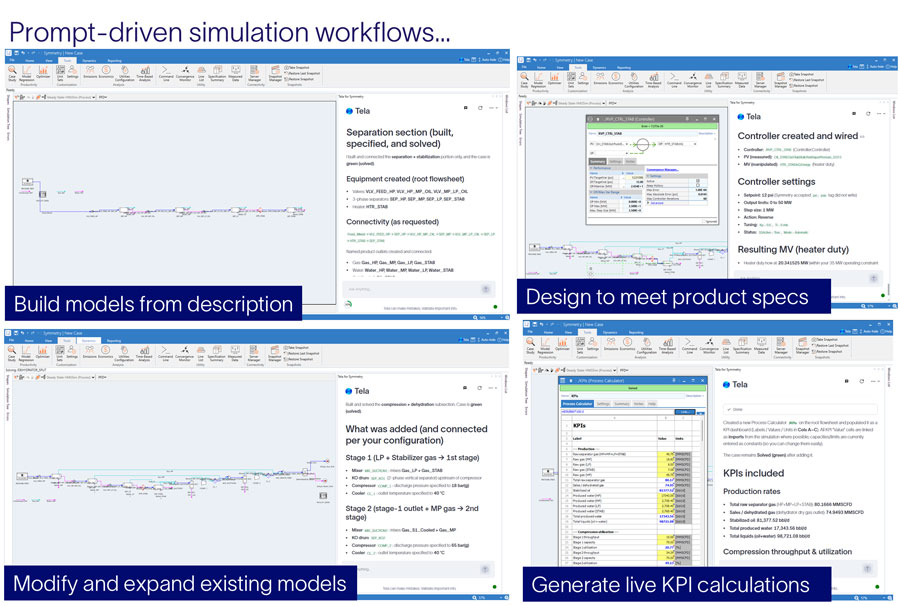
Symmetry 2026.3 includes support for the latest version of Tela assistant for Symmetry software, featuring enhanced usability and expanded engineering capabilities. Tela assistant now connects automatically to the active Symmetry software session, while a new conversation history feature enables users to save and continue previous interactions from the saved context.
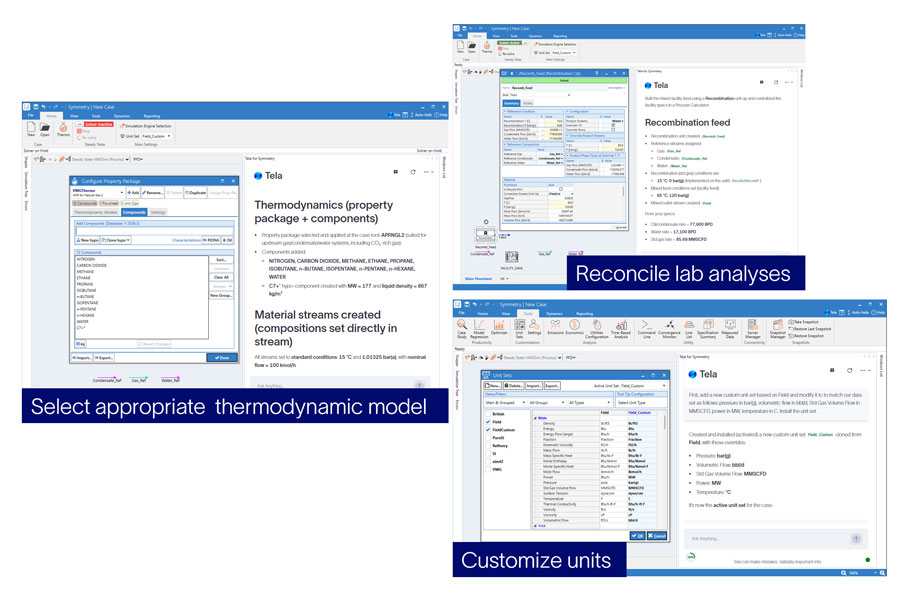
New capabilities support thermodynamic model setup, including:
Tela assistant can also assist with simulation model development through:
These enhancements further improve engineering productivity and streamline model creation and configuration.
Tela assistant for Symmetry software is available as a separate installation through the Software Download Center (SDC) and integrates seamlessly with Symmetry software once installed. To learn more or request access, please contact your SLB representative.
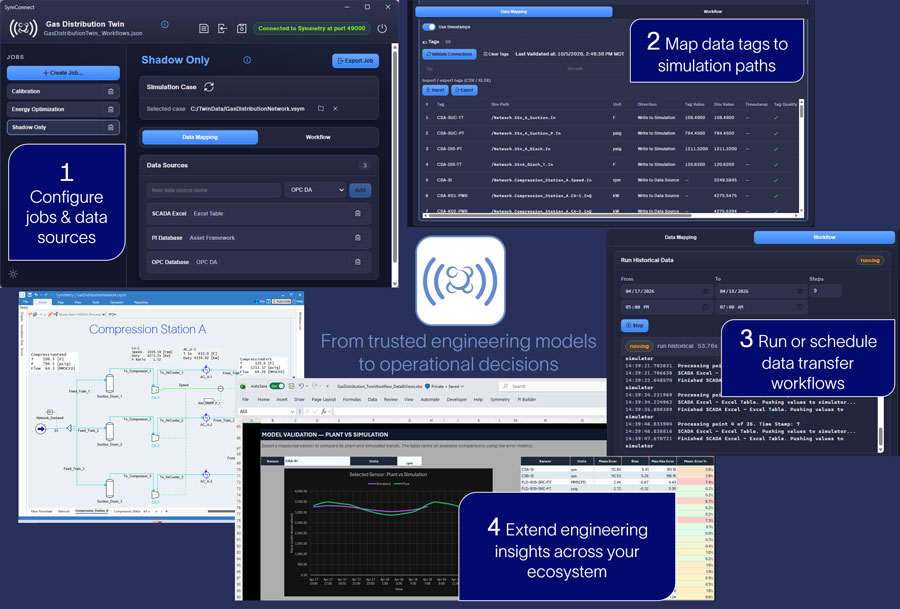
Features This release introduces SymConnect, a tool that connects Symmetry software with operational data sources—including PI Asset Framework, OPC, and Microsoft Excel—enabling seamless integration of plant data with simulation models. The user interface has been designed for optimal performance, responsiveness, and scalability.
SymConnect’s workflow management capabilities allow users to easily run their models with historical data or single-point data transfers, and even schedule data-transfer workflows to run continuously. These updates help users more efficiently integrate operational data, automate workflows, and leverage simulation-based optimization for improved process performance. Note that SymConnect is only available in the 64-bit version of Symmetry.
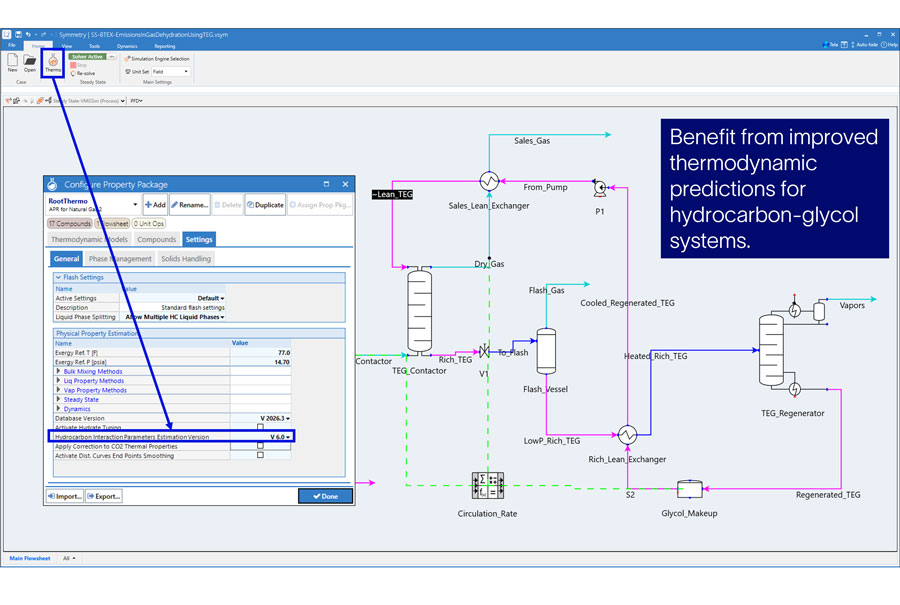
This release improves thermodynamic predictions for hydrocarbon-glycol systems in the Advanced Peng Robinson for Natural Gas 2 (APRNG2) thermodynamic model for ethylene glycol (EG) and tri-ethylene glycol (TEG).
New generalized binary interaction parameter estimation methods have been implemented for EG-alkane, EG-naphthene, EG-aromatic, and TEG-alkane systems, improving phase equilibrium and mutual solubility predictions. A new Hydrocarbon Interaction Parameters Estimation (v6.0) method is selected by default for all new simulation cases and can be selected for existing cases through thermodynamics settings.
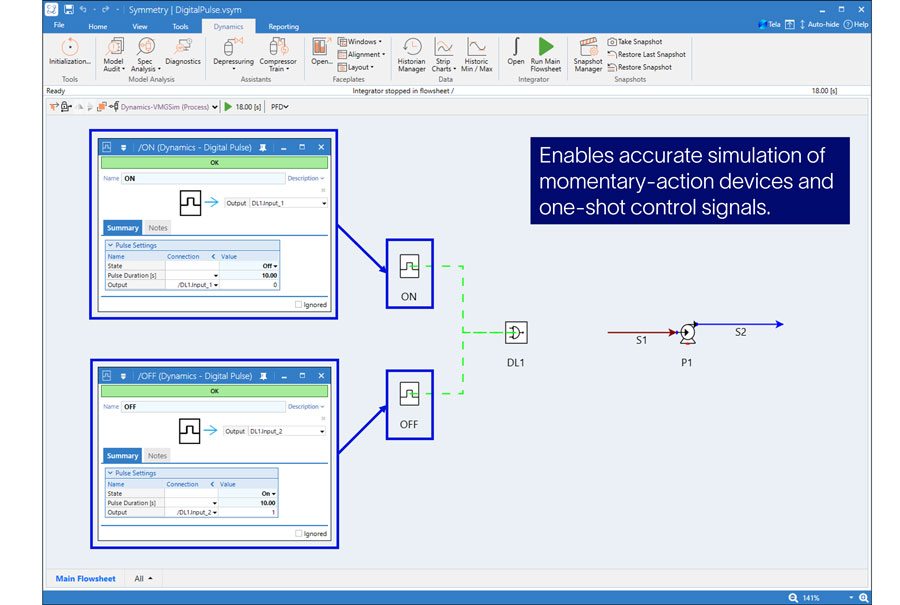
A new Pulse Unit Operation has been added to Symmetry software to provide native support for momentary digital signals in dynamic simulation models.
The Pulse Unit Operation generates a configurable pulse that automatically transitions from 0 → 1 → 0 for a user-defined duration, eliminating the need for custom digital logic implementations and manual reset actions. It integrates with:
It can be used with any unit operation that accepts digital on/off inputs.
This enhancement enables accurate simulation of momentary-action devices and one-shot control signals, improving model fidelity in OTS (Operator Training Simulators) and dynamic simulation applications.
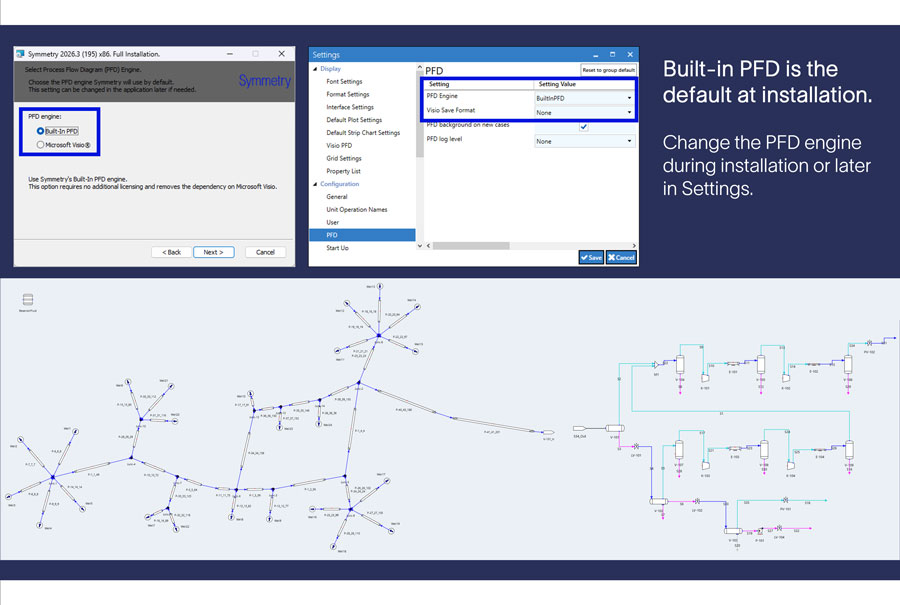
Starting with Symmetry 2026.3, the Built-in PFD becomes the default PFD option. Users can continue to use the Microsoft Visio® based PFD by selecting it during installation or through the Symmetry software settings. The Built-in PFD requires no additional licenses and will be the focus of future PFD enhancements. New capabilities will continue to be added with each release to continue to match and further enhance functionality. To support user transition, we have provided a quick introduction video and a comprehensive guide covering setup and installation, details for transition and tips and tricks to help users get started with the Built-in PFD.
This change supports the planned retirement of the 32-bit Symmetry software installer in Symmetry 2027.1. Users upgrading to Symmetry software 2027.1 or later will need to use the 64-bit version of Symmetry software either with a 64-bit version of Visio or the Built-in PFD. Users who are planning their transition to built-in PFD or have workflows that may be impacted by this retirement should contact their SLB representative or submit a support ticket for more information.